Servo Sprint
Saved on this device. Sign in to keep it.
Run a robot through a 3D factory, switch lanes, jump and slide past machinery, collect gears, and chase high scores in free runs and a shared Daily Run.
About Servo Sprint
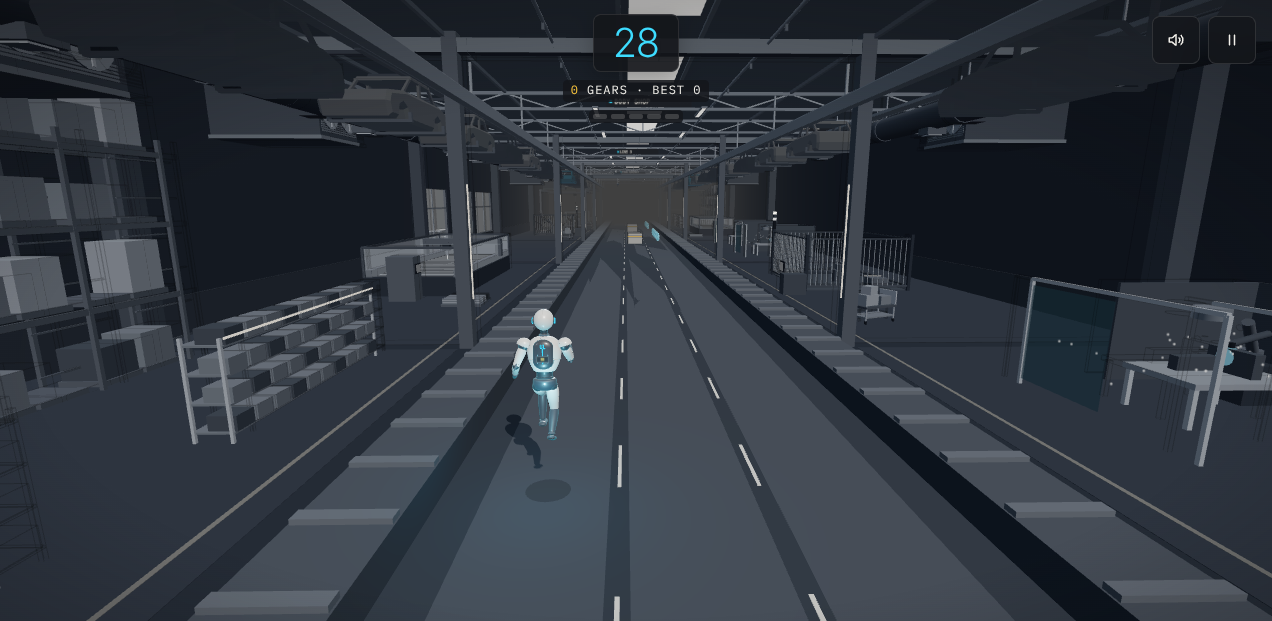
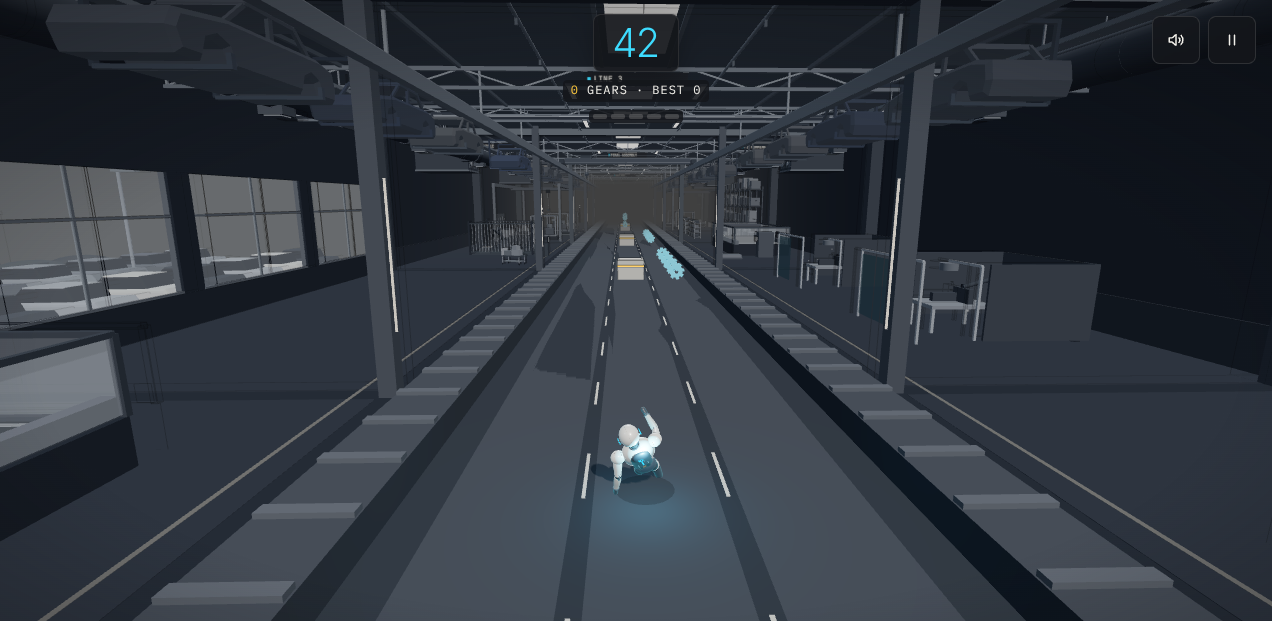
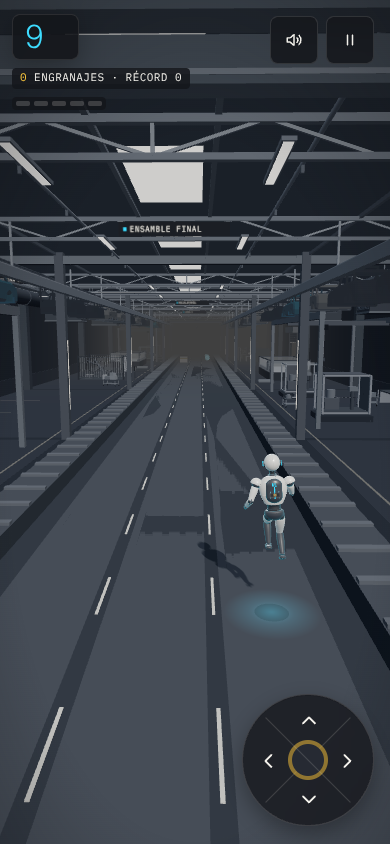
Servo Sprint is a free 3D arcade runner set on a factory production line. Your robot runs forward automatically while you steer between three lanes, jump over crates and slide under hazards. The Foreman follows behind as the line gets faster. Gears and screws add points, while tools give temporary powers such as a magnet, a drill and a hammer. A wheel token changes your robot into a faster roller for rails, ramps and drift combos.
Free runs use changing courses. The Daily Run gives everyone the same course for that day, with a daily goal and ghost racing. Missions and collected gears support progress in the Garage, where you can unlock robots and change their paint and design. Daily, weekly and all-time leaderboards offer score competition; this is a single-player runner rather than a live multiplayer race.
Play in English, Brazilian Portuguese or Spanish on desktop, phone or tablet. The official manual lists keyboard, touch and standard gamepad controls. Progress is stored in your browser, with optional passkey or backup-code features for saving a name and syncing progress. The operator says the site may show ads, including optional rewarded ads. Its privacy policy says the game is not directed at children under 13.
How to play
Choose a player name and press Start. Your robot runs forward automatically. Change lanes to avoid crates, moving robot arms and other machinery. Jump over low hazards and slide under obstacles. Collect gears, screws and tools while keeping clear of collisions. Use earned gears in the Garage, complete missions, or choose Daily Run for the shared daily course. Pause when you need a break.
Controls
Keyboard: Left/Right arrows or A/D change lanes; Up, W or Space jumps; Down or S slides; P or Escape pauses. Touch: swipe left/right to change lanes, up to jump and down to slide, or enable the on-screen Control wheel. Standard gamepad controls, listed in the official manual: D-pad or left stick for movement, A to jump, B to slide and Start to pause. Mouse or touch selects menu buttons and the optional control wheel.
Features
- Three-lane 3D factory runner with increasing speed
- Daily Run with a shared course and daily goal
- Daily, weekly and all-time score leaderboards
- Tool power-ups, Overdrive and temporary Roller Mode
- Missions, earned gears and a robot customization Garage
- Local progress with optional passkey or backup-code sync
- English, Brazilian Portuguese and Spanish
- Keyboard, touch controls and documented standard gamepad support
Screenshots
FAQ
Is Servo Sprint free?
Yes. The official manual says there is nothing to buy with real money. The site may show ads, and rewarded ads are optional.
Can I play on a phone or tablet?
Yes. Use swipe controls or enable the on-screen Control wheel. Desktop keyboard controls are also available.
Does it save progress?
Progress is stored in your browser. The game offers optional passkey and backup-code features to save your name and sync progress. Clearing site data can remove an unsaved local profile.
Is this a multiplayer game?
Runs are single-player. You can compare leaderboard scores, race ghosts and share challenges; there is no verified simultaneous multiplayer mode.
Which languages can I use?
English, Brazilian Portuguese and Spanish are available in the title-screen language settings.
What age is the game intended for?
The operator states that it is not directed at children under 13. It has stylized robot crashes, public player names and leaderboards, and possible ads. This is not an official age-board rating.
Why does play open the official site?
The developer site blocks embedding on other websites through its browser security policy.