Chess4D - Free 4D, 3D and 5D chess in your browser
Saved on this device. Sign in to keep it.
Explore four-dimensional chess, classic chess with a 3D view, and experimental time-travel chess. Play locally with a friend or try a computer opponent.
About Chess4D - Free 4D, 3D and 5D chess in your browser
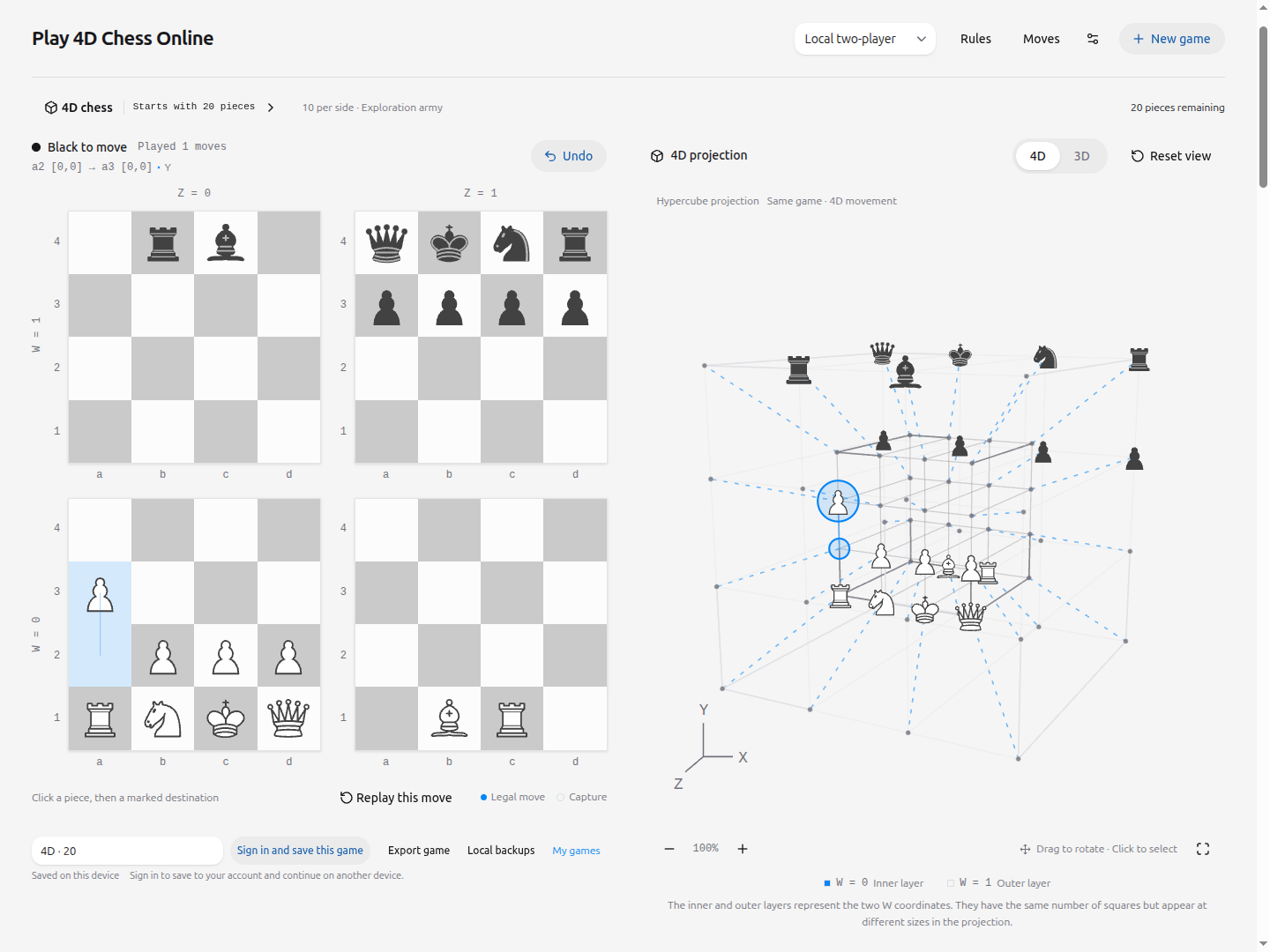
Chess4D is an independent browser chess project with three ways to explore familiar pieces. Its main 4D variant uses a 4 × 4 × 2 × 2 board: four small slices form one position, and legal moves can cross the X, Y, Z and W axes. Choose a 20-piece exploration army or a 32-piece battle army, then compare the flat board with a spatial projection.
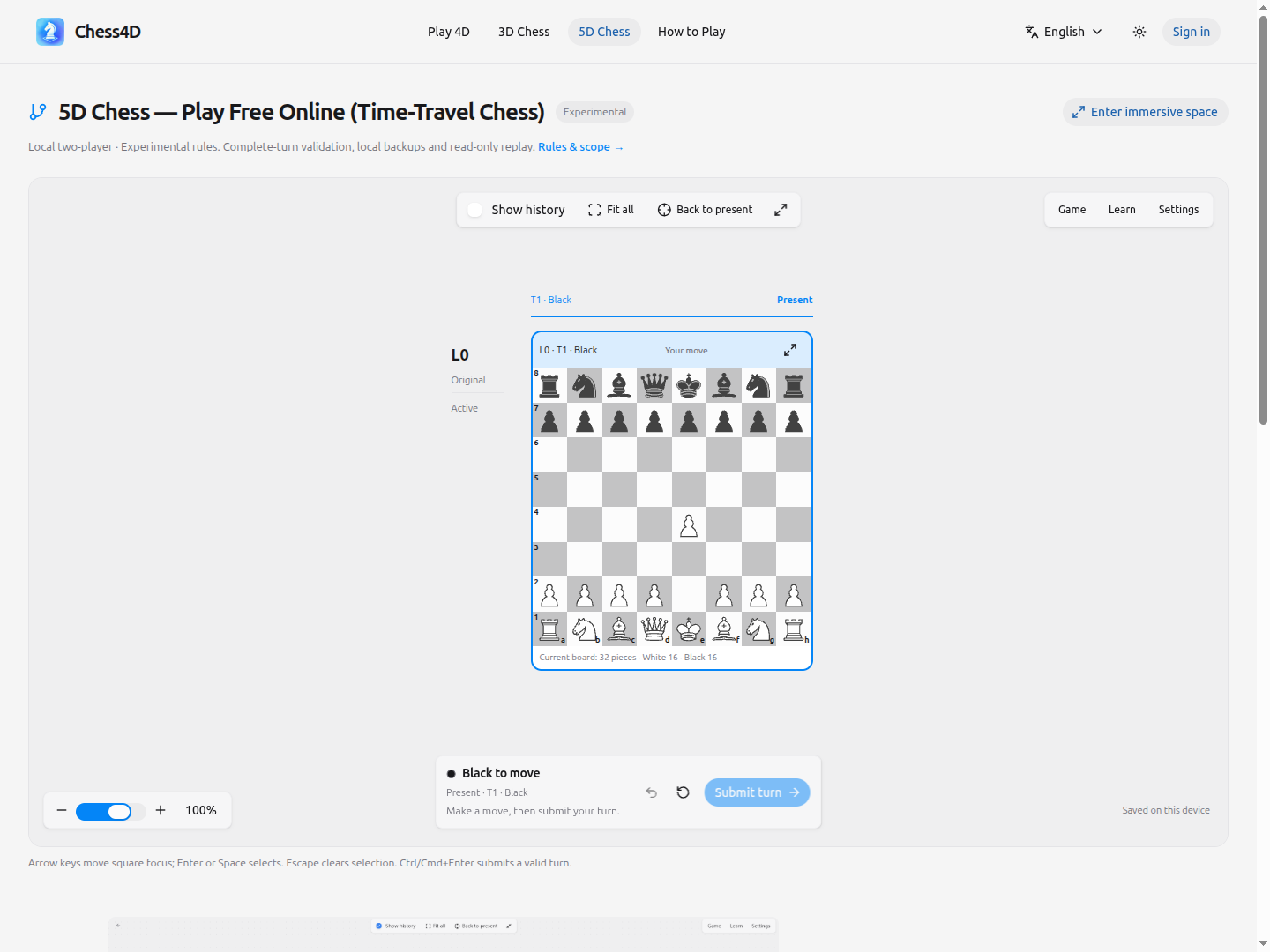
The standard-chess mode uses an 8 × 8 board and offers local two-player play, a practice computer, and an on-demand Stockfish opponent and analysis panel. The experimental 5D variant adds earlier positions and branching timelines. It is an unofficial independent implementation, separate from and not endorsed by the commercial 5D Chess With Multiverse Time Travel.
No account is needed for local play. Two players can share one device; online matchmaking is not available. 4D games save on the device and can be exported as JSON, with optional manual account saves for another device. 5D has separate local saves and backups, while standard chess lasts for the current page session. The optional solid 3D view failed to load during review; the flat board remained playable.
How to play
Open Play 4D and choose local two-player or the practice computer. White moves first. Select a piece, inspect its marked legal destinations, then choose a square. Compare Z and W labels when moving between slices and protect your king from attacks across the whole position. Checkmate wins. Use Undo or the move history to study a position. In 5D, make the required board moves and press Submit turn once the complete turn is valid.
Controls
Mouse or touch: select a piece, then a highlighted destination. Drag the spatial view to rotate and use its zoom controls. Flat-board keyboard controls: arrow keys move focus; Enter or Space selects; Escape clears selection. In 4D, Alt+Left/Right changes Z and Alt+Up/Down changes W. Ctrl+Z or Command+Z undoes a move. Press ? for shortcuts. In 5D, Ctrl+Enter or Command+Enter submits a valid turn.
Features
- 4D chess on a 64-square board across four spatial axes
- 20-piece exploration and 32-piece battle setups
- Flat board and spatial projection views
- Local two-player play on one device
- Practice computer; Stockfish options for standard chess
- Experimental 5D time travel with branching timelines
- 4D local saves, JSON export and optional manual account saves
- English and Chinese interfaces
Screenshots
FAQ
Is Chess4D free and does it need an account?
Local browser play is free and does not need an account. Signing in is optional for saving 4D games to an account.
Can I play with a friend online?
Two people can share one device in local two-player mode. Online matchmaking and remote rooms are not available.
Does it save progress?
4D and 5D have separate local saves and JSON backups. 4D also offers manual account saves. Standard chess resets after refreshing or closing the page.
Is the 5D mode the commercial game?
No. It is an independent, unofficial experimental implementation and is not affiliated with or endorsed by the commercial game’s creators.
What if the 3D board does not load?
Use the flat board. It remained playable during review when the optional solid 3D view failed.