Fish Tank Plus
Saved on this device. Sign in to keep it.
A relaxing 3D coral reef aquarium in your browser. Feed the fish, earn Fish Sticks just by watching, and unlock new fish and decorations for free.
About Fish Tank Plus
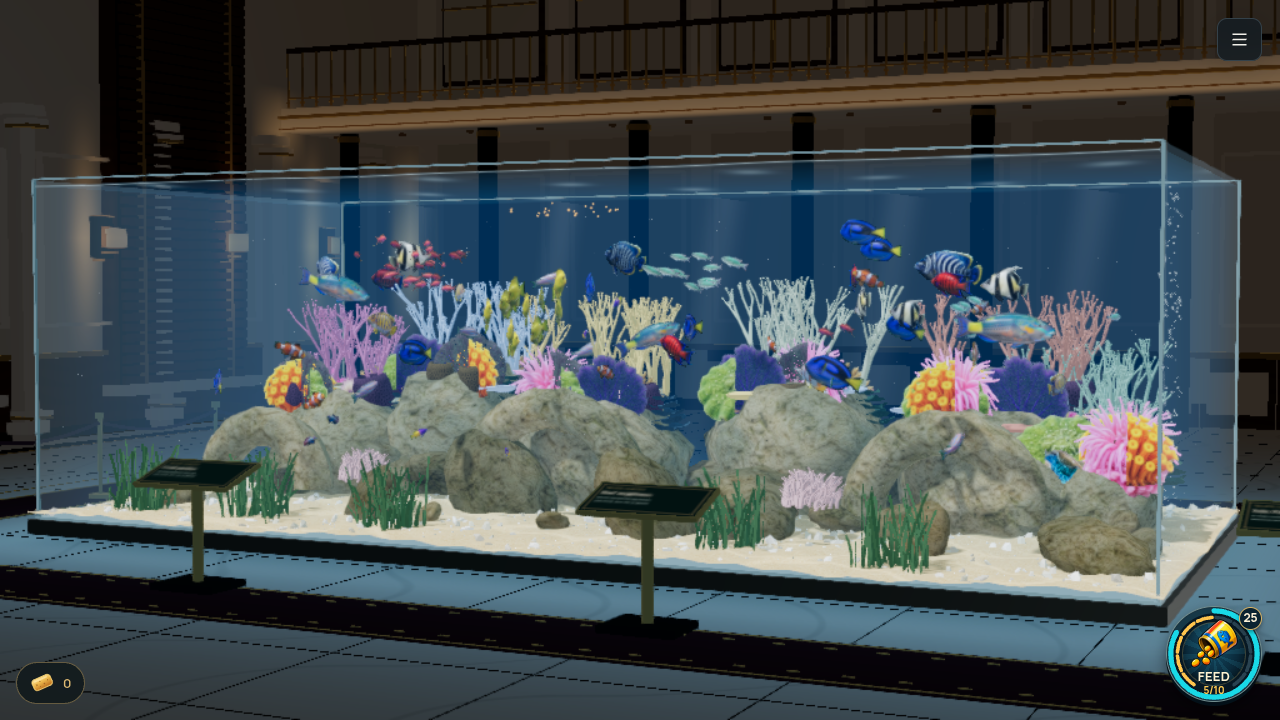
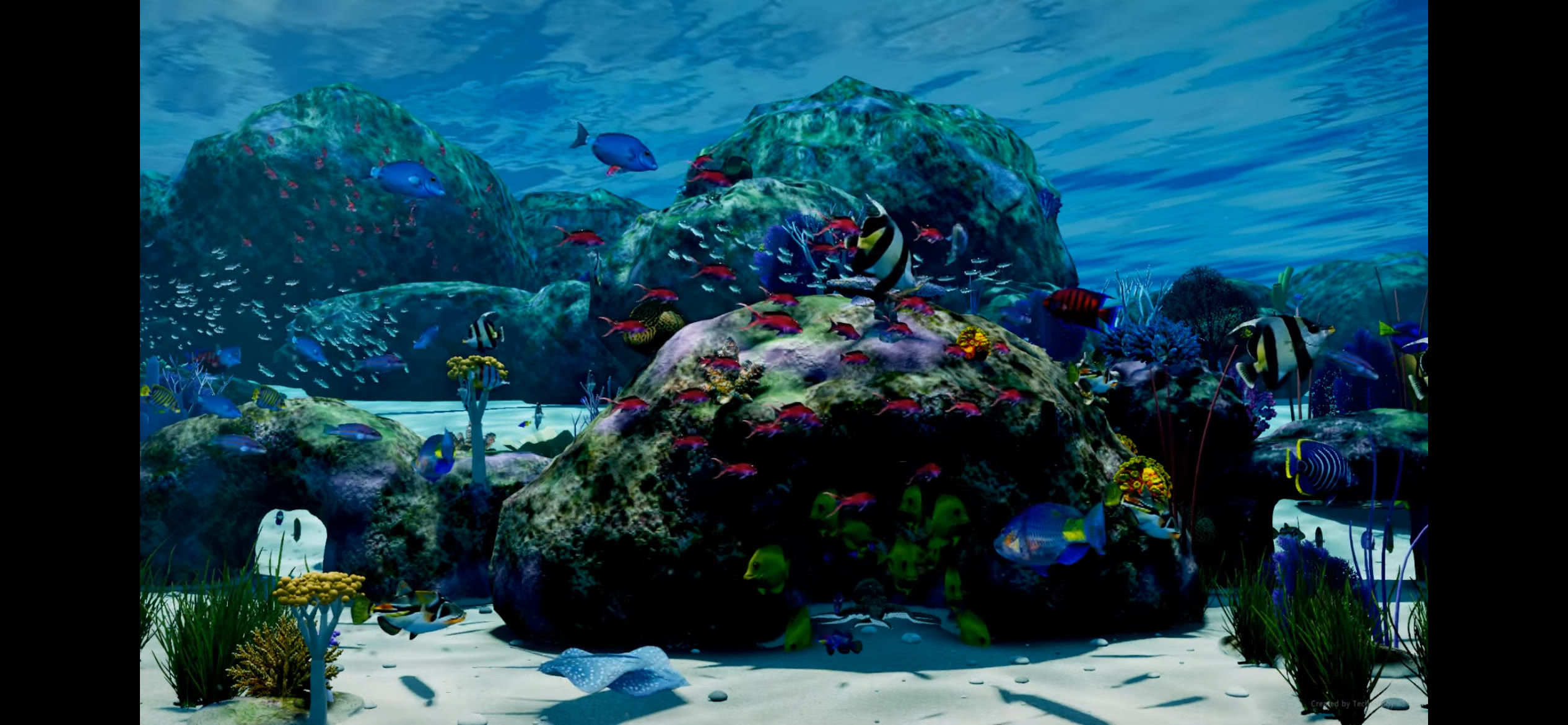
Fish Tank Plus is a free 3D aquarium by Technology 83 that runs in any modern browser on a computer, phone or tablet, with no download and no sign-up. A large reef tank stands in a museum-style gallery, full of tropical fish, corals, anemones and seagrass. You can sit back and watch it like a screensaver, or tap the Feed button to drop food and watch the fish swim up to eat.
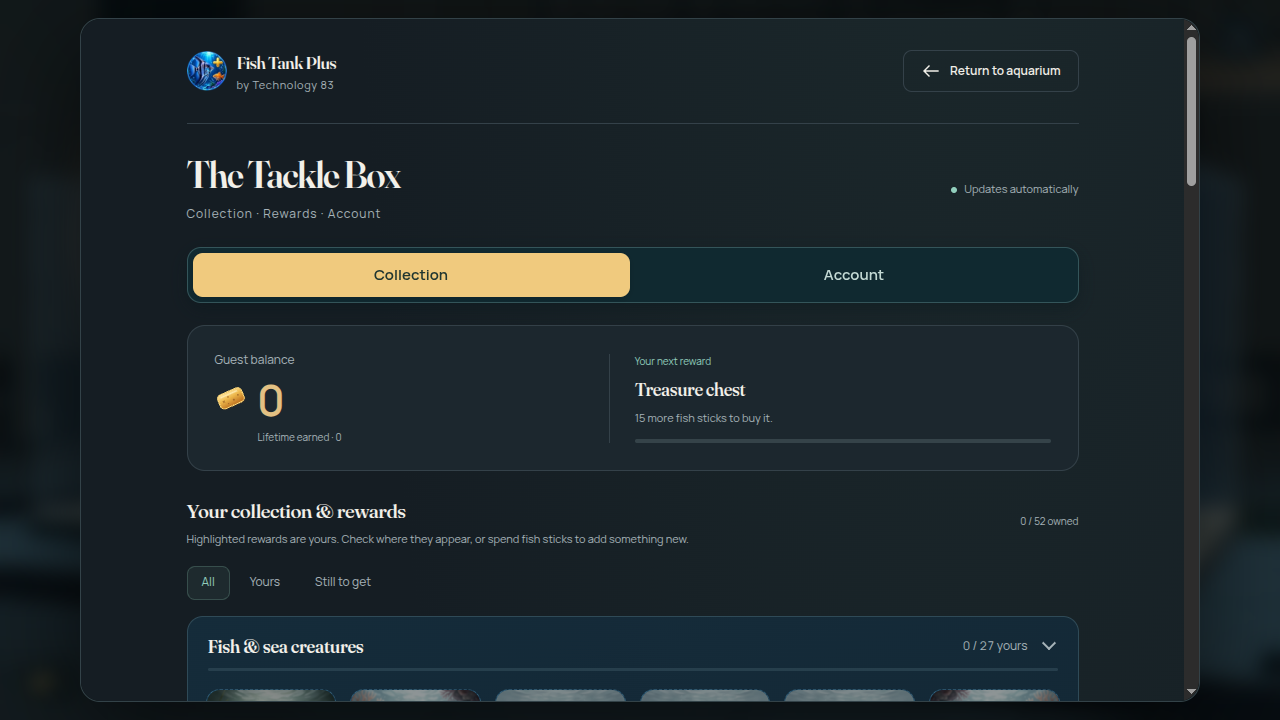
The tank rewards you for spending time with it. You earn one Fish Stick per minute while the aquarium is visible, up to 240 a day, and every 10 feeds earns a bonus stick, up to 120 extra a day. Open The Tackle Box to spend Fish Sticks on rewards from a collection of 52 items, including 27 fish and sea creatures and new decorations. Fish Sticks cannot be bought with money. You can save your balance under a name without an email or password, or create an account to share your collection with the Windows version.
The settings let you change the number of fish, swimming speed, brightness, caustic light, light shafts, bubbles and particles, and pick from six camera views such as Angled gallery, Immersive front glass and Reef level. On phones you can turn on tilt-based 3D viewing, and an optional camera head-tracking mode gives a window-like 3D effect; video is processed on your device. The developer also offers a separate Windows screensaver and live wallpaper edition.
How to play
Open the tank and let it run. Press the Feed button in the bottom-right corner (or tap it on a phone) to drop food; the ring shows your progress toward the next bonus Fish Stick. Your Fish Stick balance is in the bottom-left corner and grows while the aquarium is on screen. Open the menu (top-right) and choose The Tackle Box to browse the collection and spend Fish Sticks on new fish and decorations. Use the menu settings to change the camera view, the number of fish, lighting and graphics quality. On a phone, swipe left or right to change the view.
Controls
Mouse or touch: Feed button to drop food, menu button (top-right) for The Tackle Box and settings. Phone: swipe left or right to change the camera perspective; optional phone tilt for 3D viewing. Optional webcam head tracking (off by default).
Features
- Free 3D coral reef aquarium that runs in the browser with WebGL
- Feed the fish and watch them react
- Earn Fish Sticks by watching (up to 240 a day) and feeding (up to 120 bonus a day)
- Collection of 52 rewards, including 27 fish and sea creatures, bought with earned Fish Sticks only
- Six camera views, from the angled gallery to reef level
- Adjustable fish count, speed, lighting, bubbles and graphics quality
- Optional phone-tilt and camera head-tracking 3D viewing
- Save progress under a name with no email, or sync with the Windows edition through an account
Screenshots
FAQ
Is Fish Tank Plus free?
Yes. The browser aquarium is free. Fish Sticks are earned by watching and feeding the fish, and rewards are bought only with Fish Sticks.
How do I earn Fish Sticks?
You get 1 Fish Stick per minute while the aquarium is visible (up to 240 a day), and 1 bonus stick for every 10 feeds (up to 120 a day).
Do I need an account?
No. You can play as a guest and save your Fish Sticks under a name without an email or password. An optional account syncs your collection with the Windows version.
Does it work on phones?
Yes. It runs in mobile browsers with touch controls, and you can add it to your Home Screen.
Does camera tracking send my video anywhere?
The game says camera tracking starts only when you turn it on and that video is processed on your device.